
Your server knows the second they go live
Fated Updates watches your Twitch and Kick streamers and posts a stylized go-live card to your Discord, with game art, your custom message, and the pings you choose.
Free · set up your first alert in under a minute.
- 01
Sign in with Discord
One click. We only ask to see which servers you manage, never your messages.
- 02
Pick a streamer & channels
Add any Twitch or Kick channel, choose where alerts post, and preview the exact card.
- 03
Alerts post themselves
The moment they go live, your server gets the card, your message, and the pings you chose.
Your community never misses a stream
Built for streamers and community managers who want go-live alerts that actually look the part.
Twitch + Kick monitoring
Real-time EventSub webhooks backed by a polling fallback, so no go-live slips through on either platform.
Cards that look the part
Every alert is a custom-rendered gold-and-navy card: avatar, title, game art, and a one-tap Watch Live button.
Real game cover art
High-res covers pulled from IGDB (with Twitch box art as backup), so the alert looks as good as the stream it points to.
Your pings, your message
Mention @everyone, @here, or specific roles, write your own message with live placeholders, and clean up when the stream ends.
Weekly highlight reels, on autopilot
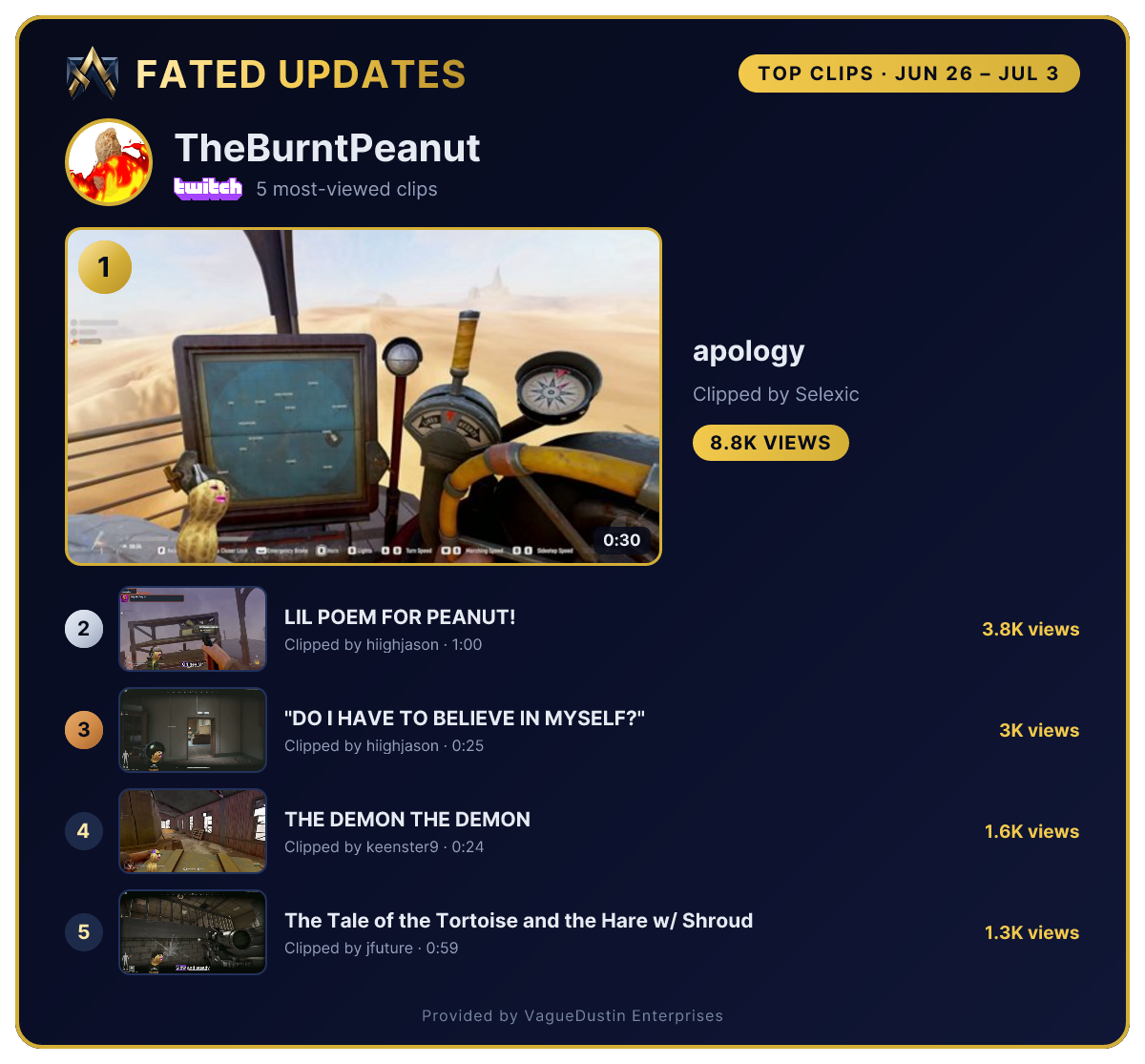
Clip showcases post a generated image ranking a streamer's top 1, 3, or 5 most-viewed clips every day, week, or month, with a link button for every clip.
- Ranked like a podium. The #1 clip gets the hero spot; runners-up line up with silver and bronze medallions, views, and durations.
- Your schedule, your timezone. Daily, weekly, or monthly, at the local time you pick. Quiet periods with no clips are skipped automatically.
- One tap to watch. Every featured clip gets its own link button right under the image, straight to Twitch.
Or go game-wide
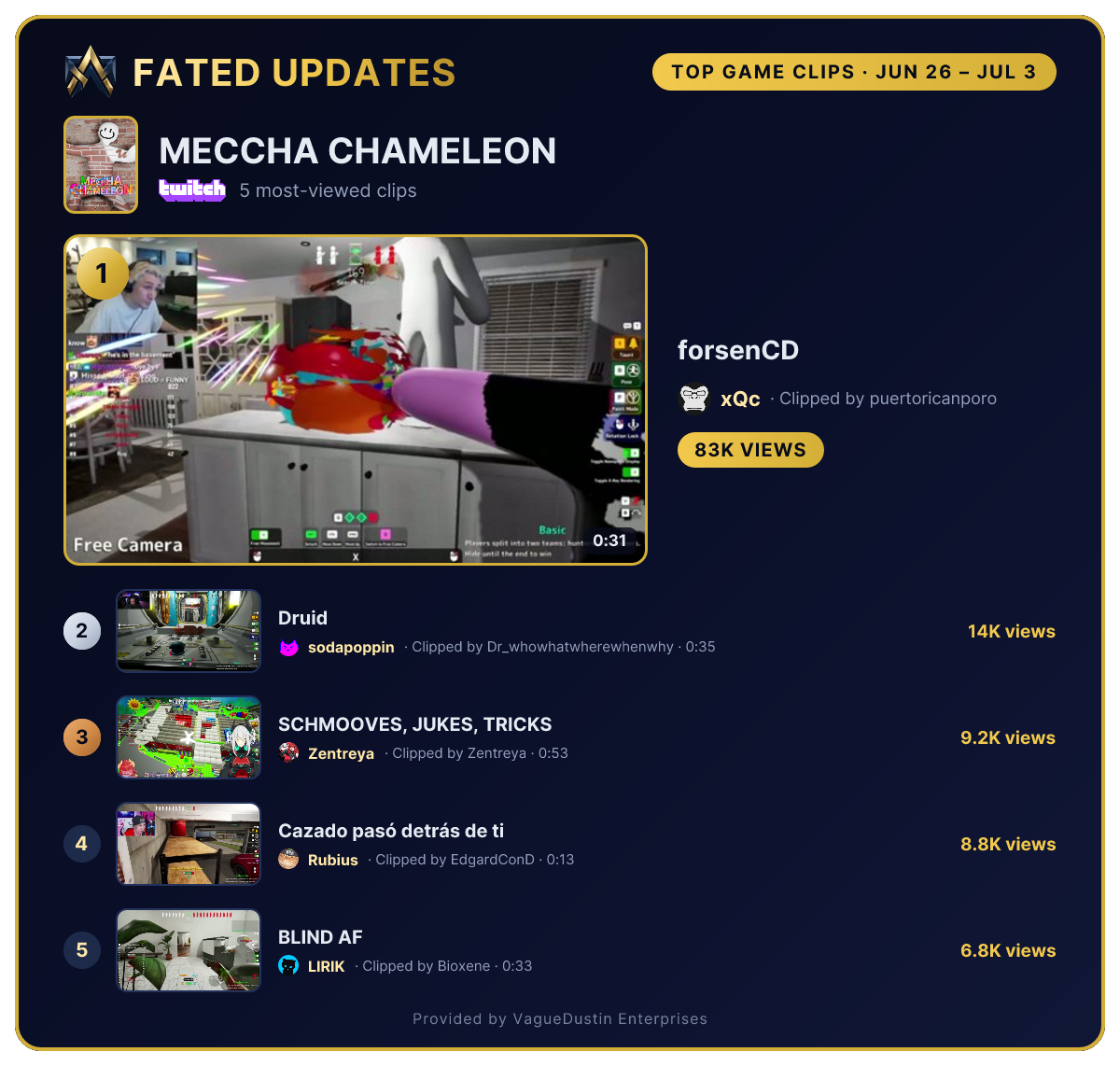
Point a showcase at an entire Twitch category instead of one streamer. It ranks the most-viewed clips from every channel playing the game on one leaderboard, credits each clip with its streamer's name and avatar, and puts the game's box art up top.
Optionally filter by broadcast language, so a Spanish-speaking community gets Spanish clips. Schedules and link buttons work the same way as streamer showcases.
Ready to give your community front-row seats?
Sign in with Discord, pick a server you manage, and add your first streamer. That’s it.
Get started